
New to Entra ID in the past week (November 2026) is the Hard Deletion Protection feature. This feature, once enabled on an object, ensures that you cannot hard (permanently) delete an object in Entra that has been soft deleted until at least 7 days have past since it was soft deleted.
The standard behaviour in Entra ID is that an object can be deleted, and this is stored as a deleted user, or deleted group etc. for 30 days and then it is automatically hard deleted. You therefor have 30 days to restore items if you need to. But you can also hard delete items once they have been deleted – this can happen immediately after an item has been soft deleted and apart from restore processes from backup applications this item is no longer recoverable.
To protect therefore against malicious deletions of objects, you can enable the Hard Deletion Protection feature per object that you want to protect. This is not a tenant wide feature, and you can protect cloud users, cloud groups, applications and service principals. Once the item is protected with this feature it cannot be unprotected!
Protection is permanent once enabled and cannot be removed or undone for protected objects.
So where is this feature useful? Clearly on any object that permanent deletion of would be a considerable risk – and note that this does not stop permanent deletion, it just stops the immedate permanent deletion of a recently deleted object. The pause between soft and hard delete is seven days and this cannot be changed at the time of writing.
So a good example of an object that this can protect is your break glass / emergency access accounts. If these were deleted, accidently or maliciously, that could be a problem. So tied in with my blog post from yesterday on email alerts on audit events, this feature will ensure that your break glass accounts cannot be soft and then immediately hard deleted – and the notification alert based on the audit event of the deletion of the account means you have time to investigate the deletion and restore the object.
The Hard Deletion Prevention feature can be enabled in the Entra ID admin portal or Microsoft Graph (currently via the beta cmdlets).
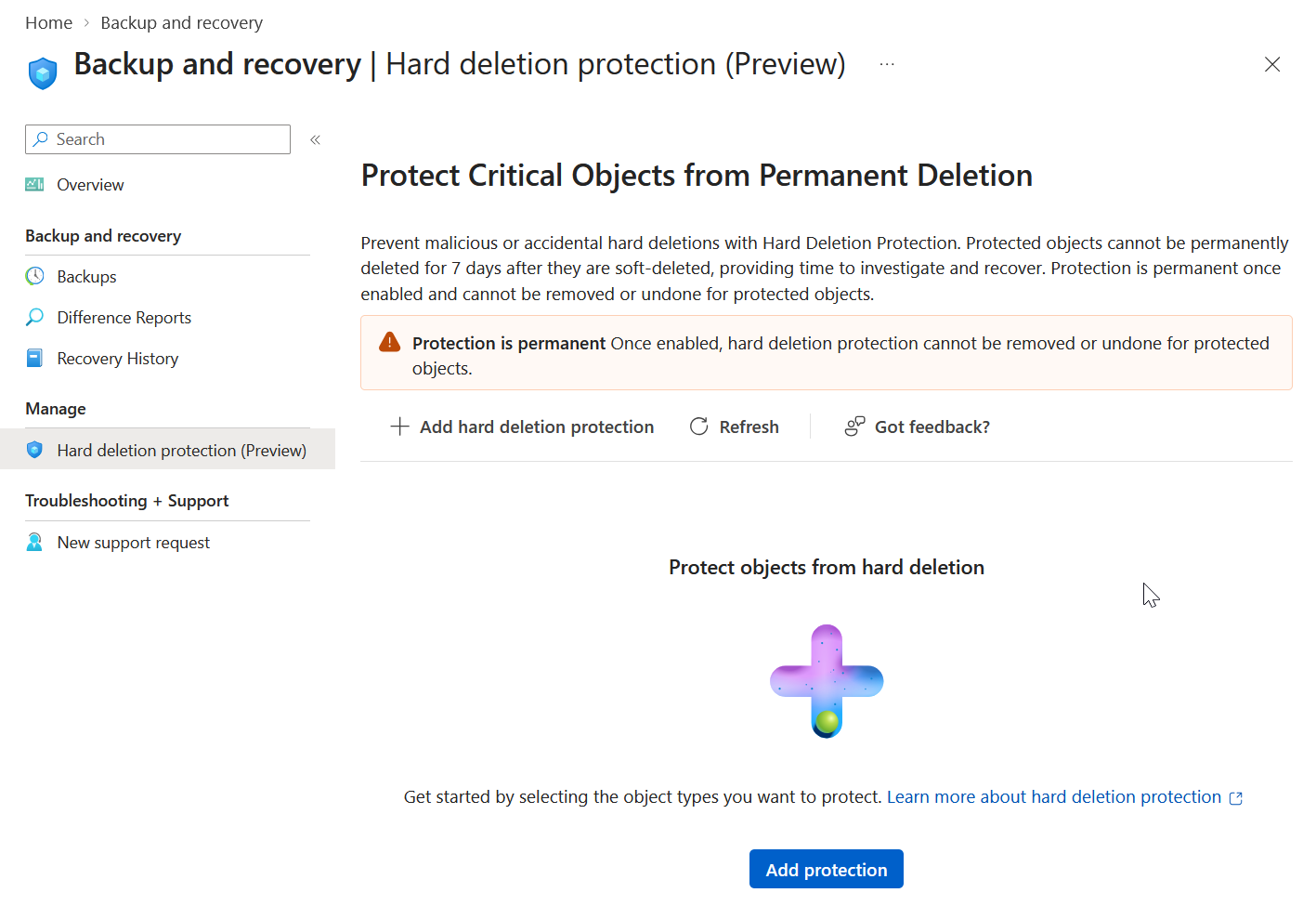
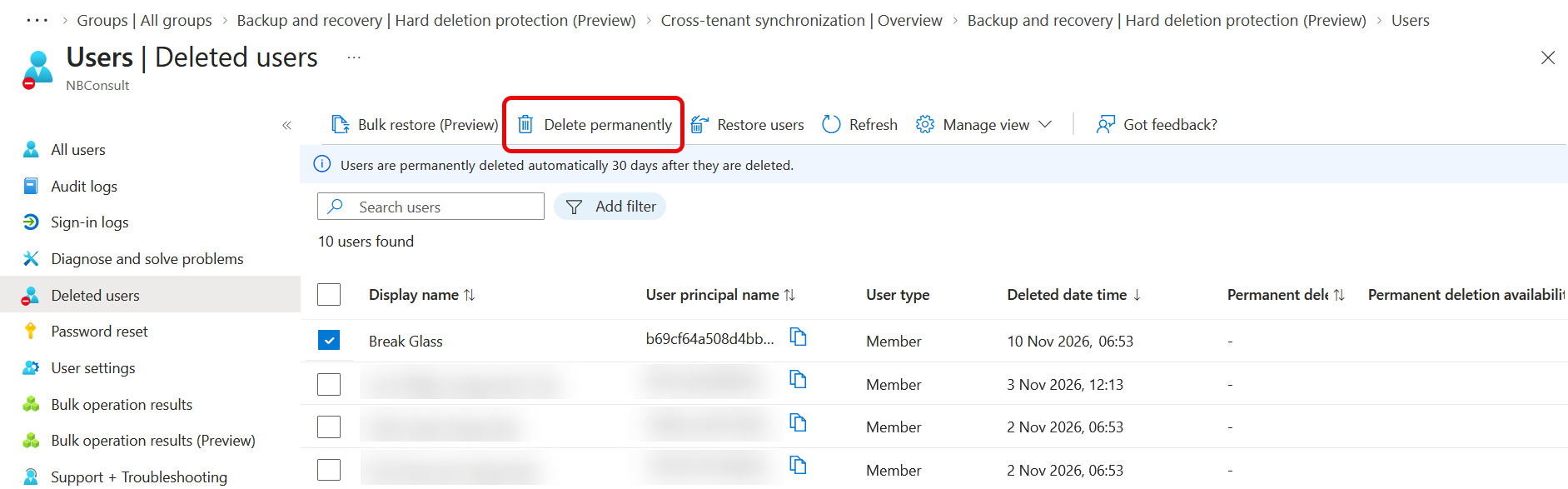
From here, select and add your break glass accounts. But lets look first at what is going to actually change. Here is my break glass account already soft deleted and found in Deleted Users. With that object selected I can click the “Delete Permanently” button!
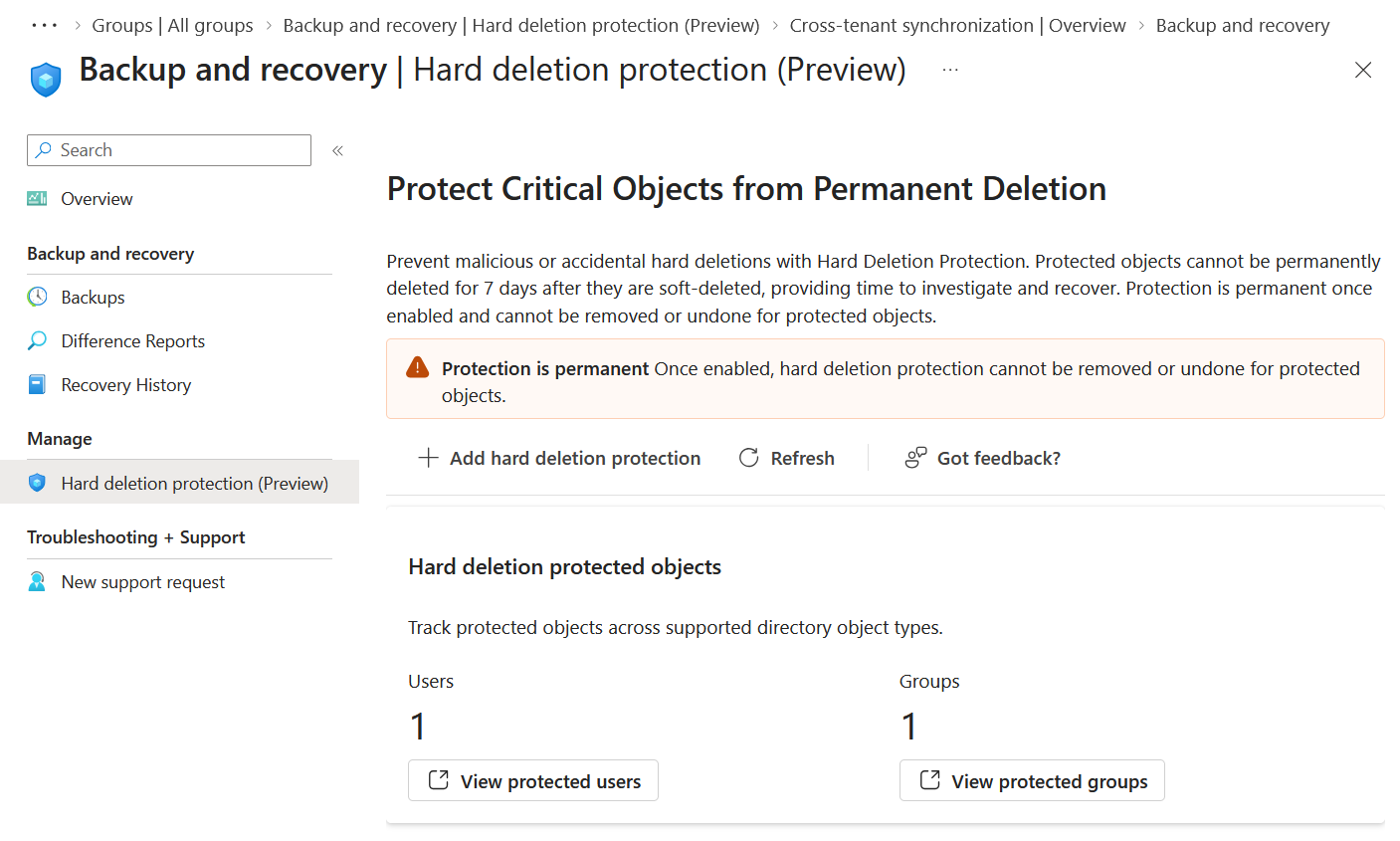
Hard Deletion Protection can only be enabled with current objects, so it cannot already be soft deleted. So I restored my “Break Glass” account above and from the Backup and Recovery pages in Entra ID Admin Portal, I added this account to the list of protected accounts. I also have a group that contains my break glass accounts so I can manage them in Conditional Access. I have added that group to Hard Deletion Protection
So lets go and delete that break glass user again!
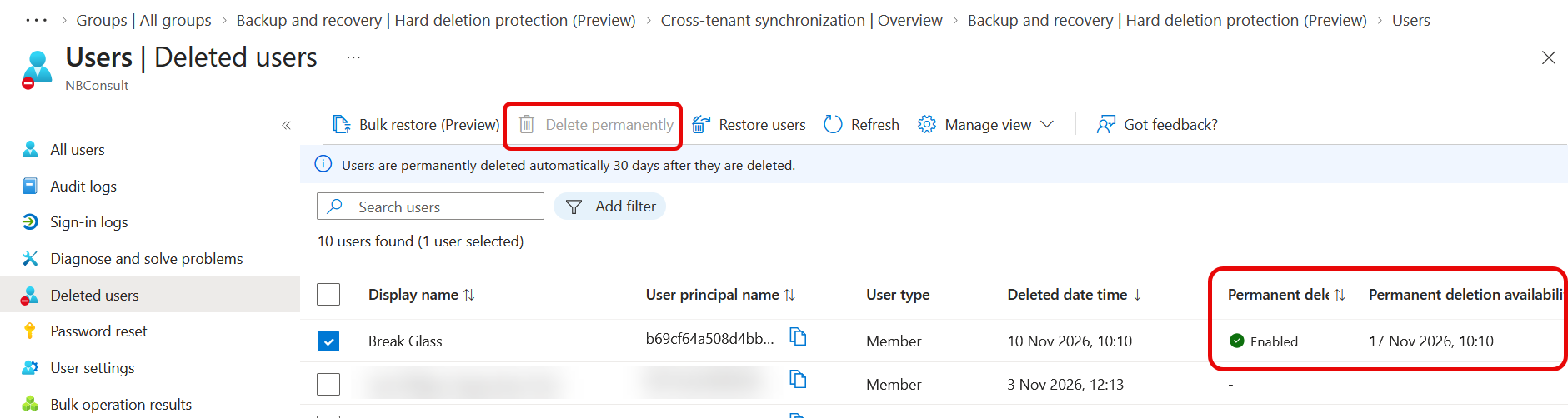
So now we can see that the selected object cannot be deleted (or at least not yet) and on the right-hand side of the screenshot we can see that Permanent Deletion Protection is enabled, and the user will revert to normal behaviour after the date show (seven days from soft deletion).
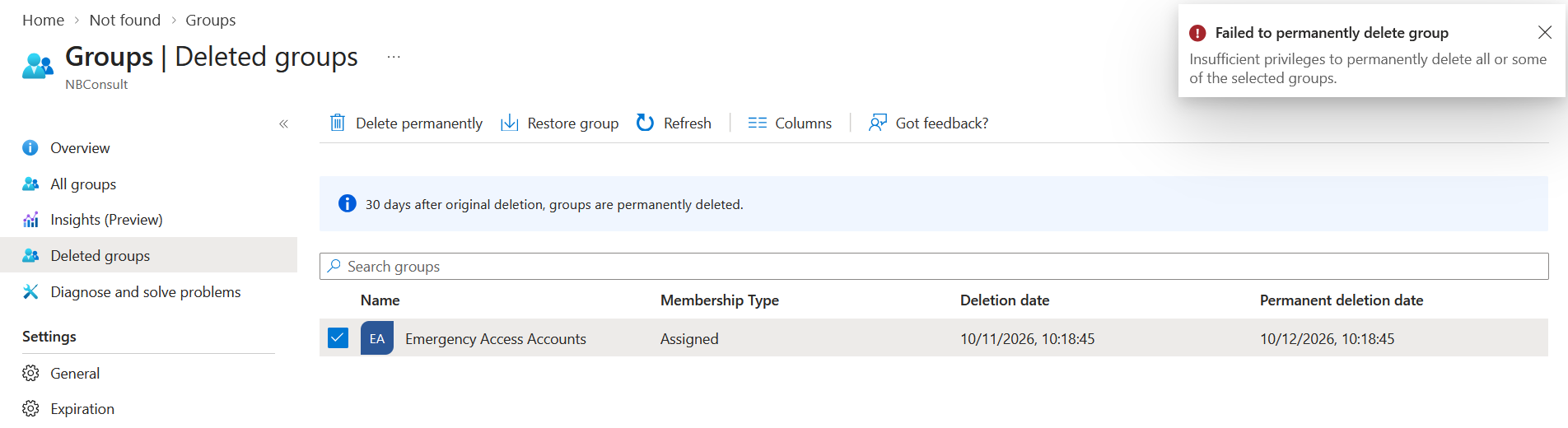
As of writing, the user experience for groups is different. There are no additional columns for this feature, and a selected group that is protected will light up the “Delete Permanently” button, but it will throw an error saying “Insufficient privileges to permanently delete all or some of the selected groups” if you try to delete it:
In the comments please let me know the other types of users and groups you can considered enabling this protection for.
Photo by Jan van der Wolf: https://www.pexels.com/photo/green-trash-bin-against-yellow-tiled-wall-34054388/
Leave a Reply